Guides › Online notary
How Remote Online Notarization Works in Florida: Step-by-Step
How Remote Online Notarization Works in Florida: Step-by-Step
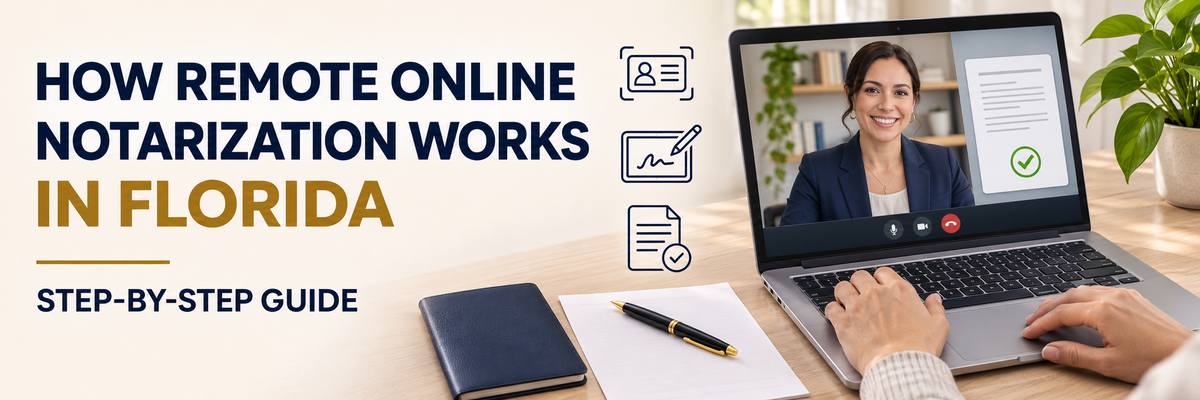
You no longer have to drive to a bank or a shipping store to get a document notarized. Florida allows remote online notarization (RON): you meet a commissioned Florida online notary by live video, sign electronically, and get your notarized document back by email. This guide explains how it works, what you need, and how to make your session quick and easy.
What is remote online notarization?
Remote online notarization is a notarization done over a live, two-way audio and video call instead of face to face. Florida has authorized it since January 1, 2020, under Chapter 117, Part II of the Florida Statutes. Only notaries who have completed extra training and registered with the state as online notaries can perform it.
Can I use a Florida online notary if I don't live in Florida?
Yes. The Florida online notary must be physically located in Florida during the session, but you can be anywhere: another state or another country. If you are outside Florida, the notary will confirm on the recording that you want the notarization performed by a Florida notary under Florida law. That's a simple yes on camera.
This makes RON especially useful for:
- Americans living or traveling abroad who need a U.S. document notarized.
- Clients of law firms, title companies, and real estate offices who can't come in person.
- Anyone with a busy schedule, limited mobility, or no notary nearby.
How the identity check works
Florida law has strict identity requirements for online notarizations. Unless the notary personally knows you, your identity is verified in three ways:
- A valid government-issued photo ID, such as a driver's license, state ID, or passport, which you show on camera.
- Credential analysis: secure software checks that your ID is genuine and matches you.
- Identity proofing: usually a short set of knowledge-based questions drawn from your public and credit records, which you must pass with at least 80 percent.
If you are outside the United States and don't have a U.S.-issued ID, Florida law allows a foreign passport to be used in some situations. Contact us before you book so we can confirm the right option for you. For more, see our guide on how to notarize a U.S. document from abroad.
Step-by-step: what happens in a session
- Book your appointment online and upload your document as a PDF.
- Get your secure link. You'll receive an email with a link to join the session. No special software is usually needed beyond a web browser.
- Verify your identity with your ID and the identity questions described above.
- Meet the notary on video. The notary confirms who you are, describes the document, and makes sure you are signing willingly.
- Sign electronically. You sign the document on screen, and the notary adds their electronic signature and seal.
- Download your notarized document. You get the completed PDF, which you can email, upload, or print.
The whole session is recorded, as Florida law requires, and the notary keeps the recording and an electronic journal for at least 10 years. This protects you if the notarization is ever questioned.
What you need before your session
- A computer, tablet, or phone with a working camera and microphone.
- A stable internet connection and a quiet, well-lit place.
- Your unexpired government-issued photo ID.
- Your document as a complete PDF, unsigned. Don't sign it ahead of time; you'll sign during the session.
- Any witnesses your document needs. If your document requires witnesses who join remotely, they must be U.S. residents physically located in the United States and will also verify their identity.
Which documents can be notarized online?
Many common documents can be notarized online, including:
- Affidavits and sworn statements
- Powers of attorney
- Consent-to-travel letters for minors
- Real estate and business documents
- Letters and declarations for immigration, school, or employment purposes
A few documents have special rules, and some offices that receive documents have their own requirements. Before booking, it's a good idea to confirm that the office receiving your document accepts an electronically notarized copy. If you're not sure, ask us and we'll help you check.
Online notarization and apostilles
If your document will be used in another country, it may also need an apostille. A document notarized by a Florida online notary can be apostilled by the Florida Department of State, so you can complete the whole process without ever visiting an office. Read our guide on how to get an apostille in Florida to learn more.
Get your document notarized online today
Leones E-Notary Services is a Florida-commissioned online notary serving clients across the U.S. and abroad, in English and Spanish. We also handle Florida apostilles and certified English–Spanish translations, and we work with law firms, real estate offices, and other businesses that send their clients to us.
Book your online notary session, or contact Leones E-Notary Services if you have questions about your document.
Frequently asked questions
Is remote online notarization legal in Florida?
Yes. Florida has authorized remote online notarization since January 1, 2020, under Chapter 117, Part II of the Florida Statutes.
Can I get notarized online if I live outside the U.S.?
Yes. A Florida online notary located in Florida can notarize for signers located anywhere, including other countries, as long as identity can be verified as Florida law requires.
Should I sign my document before the session?
No. Leave the signature lines blank. You'll sign electronically during the video session while the notary watches.
Will the office receiving my document accept an online notarization?
Most do, but it depends on the office. It's always a good idea to confirm with them before your session.
This guide is general information, not legal advice. Requirements can change, and the office receiving your document has the final say on what it accepts.